Table of Contents
Anbernic RG35xxsp
Vorbereitung
- Neue SD Karte verwenden
- Image download → https://win.anbernic.com/download/ (aktuell Version 1.0.7 mit Ubuntu jammy)
- Image mit Rufus auf SD Karte schreiben (https://rufus.ie/de/)
- Enable SSH
- Die 4 Dateien aus dem scripts Ordner auf die SD Karte kopieren und zwar nach Roms/APPS
- SD-Karte einsetzen und Gerät mit Strom versorgen!
- Nach dem ersten Start
- Lockscreen ausschalten (schaltet sonst WLAN ab)
- Wlan in den Einstellungen aktivieren und konfigurieren
- Im App Center → File Manager → Ordner APPS → ssh_enable.sh → Execute (nach a Drücken)
- Jetzt sollte ein Login mit SSH möglich sein
- User : root / Passwort : root
- Damit die folgenden Schritte schneller laufen kann man erstmal den Dienst für die Oberfläche beenden
systemctl stop launcher
Die Oberfläche ist ziemlich CPU lastig!
Bluetooth Tastatur
- kann hilfreich sein

- BL Tastatur wird nicht angezeigt, aber scheint verbunden …
Datum setzen
date -s "2024-09-25 18:03"- oder besser … (timedatectl bleibt auch nach Reboot aktiv)
timedatectl set-ntp truetimedatectl set-timezone Europe/Berlintimedatectl status- timedatectl aktualisiert die Hardware-Uhr beim Herunterfahren oder Neustart des Systems
- set the RTC from the system time
hwclock -w- setzt die HW Clock sofort
Sprache ändern
- Default ist Chinesisch
apt purge language-pack-en language-pack-en-base language-pack-zh-hans language-pack-zh-hans-basedpkg-reconfigure locales- [*] C.UTF-8 UTF-8
- C.UTF-8
- Jetzt wäre ein guter Zeitpunkt für einen Reboot …
reboot
Info : https://askubuntu.com/questions/1301908/locale-gen-generates-not-selected-locales
Update Noble
- Version 1.0.7 steht auf dem Stand Ubuntu Jammy Jellyfish (Version 22)
- Ein Systemupdate kann immer in gleicher Weise erfolgen durch die Anpassung der apt Repositories
- Ubuntu 18.04.6 LTS (Bionic Beaver) → Noble (24)
sed -i 's/bionic/noble/g' /etc/apt/sources.list - Ubuntu 20.04.6 LTS (Focal Fossa) → Jammy (22)
sed -i 's/focal/jammy/g' /etc/apt/sources.list - Ubuntu 20.04.6 LTS (Focal Fossa) → Noble (24)
sed -i 's/focal/noble/g' /etc/apt/sources.list - Ubuntu 22.04.5 LTS (Jammy Jellyfish) → Noble (24)
sed -i 's/jammy/noble/g' /etc/apt/sources.list- Benötigt für Update der Version 1.0.7
- Ubuntu 23.10 (Mantic Minotaur) → Noble (24)
sed -i 's/mantic/noble/g' /etc/apt/sources.list
- nur Update
apt update && apt full-upgrade -y && apt autoremove -y
oder nächsten Schritt inkl. Tools verwenden - → das kann schon mal so 1h dauern …
Infos : https://docs.openitcockpit.io/update/ubuntu-bionic-to-focal/
Tools
systemctl stop launcherapt update && apt full-upgrade -y && apt install -y nano git silversearcher-ag wavemon hexedit sudoku tcpdump iptraf mc htop dcfldd nano usbutils ranger tldr ncdu can-utils multitail fd-find lsof x11vnc minicom joystick i2c-tools speedtest-cli iotop dosfstools mtools gparted curl wget && apt autoremove -y- → das dauert ein paar Minuten ….
Hostname anpassen
nano /etc/hostname
Partitionen anpassen
umount /mnt/data/- /mnt/vendor aushängen
- Was blockt →
lsof +D /mnt/vendor - PID finden →
fuser -vm /mnt/vendor - Prozess killen →
kill -9 xxx umount /mnt/vendor
gpartedals root starten, hinteren 2 Partitionen verschieben, 5te vergrößern

SWAP
SWAP anlegen
fallocate -l 1G /swapfile
Alternativdd if=/dev/zero of=/swapfile bs=1M count=2048chmod 600 /swapfilemkswap /swapfileswapon /swapfile- Test :
swapon --show - Onliner :
fallocate -l 1G /swapfile && chmod 600 /swapfile && mkswap /swapfile && swapon /swapfile && swapon --show
SWAP Autoload
sudo nano /etc/fstab/swapfile none swap sw 0 0
SWAP löschen
- Swap deaktivieren
swapoff /swapfile rm /swapfile
Unnützes Zeugs
systemctl disable unattended-upgrades.serviceapt autoremove modem* avahi*nano /etc/init.d/launcher.sh→ cexpert auskommentierenreboot
dmenu deaktivieren
systemctl stop launcher- Variante 1 -
/etc/init.d/launcher.shnano /etc/init.d/launcher.sh
#               {
#                       if [ -e $Load_app ];then
#                               $Load_app
#                       fi
#               }&
- Variante 2 -
/mnt/vendor/ctrl/loadapp.sh
User anlegen
- als User root durchführen!
- Gruppen listen →
cat /etc/group adduser pi- User zu Gruppen hiunzufügen (u.a. sudo und video (für FB Zugang)
usermod -aG sudo,video,audio,input,tty pi- Später ggf. um ,pulse,pulse-access,lightdm erweitern !
- prüfen
groups pi
SD Image erzeugen
- direkt mit Rufus → komprimiert
- kann später mit 7Zip weiter gepackt werden
- → RG35xxSP_BaseImage.vhdx
Bluetooth
- Wenn die Oberfläche abgestellt ist wird rtk_hciattach nicht mehr gestartet.
rtk_hciattach ist das Utility, das den Bluetooth-Controller für Realtek-Chipsätze initialisiert und aktiviert. nano /etc/rc.local
Bluetooth Treiber nachladen (vorexit 0einfügen !)
rtk_hciattach -n -s 115200 /dev/ttyS1 rtk_h5 &
sudo systemctl enable bluetooth
Für einen Test geht auch (überlegt kein Reboot):
rtk_hciattach -n -s 115200 /dev/ttyS1 rtk_h5 &
systemctl start bluetooth
Bluetooth Gerät verbinden:
sudo bluetoothctlpower ondiscoverable onscan ontrust ..pair ..
Autostart
Doom Onliner
cd ~ && sudo apt update && sudo apt install -y gcc make libsdl2-dev libsdl2-net-dev libsdl2-mixer-dev automake autoconf libtool git pkg-config && git clone https://github.com/chocolate-doom/chocolate-doom.git && cd chocolate-doom && ./autogen.sh && make -j4make install
UIs
Autologin fbterm
sudo apt install fbterm
alternativ kann man hier auch Doom direkt starten
sudo systemctl edit getty@tty1.service
oben (!) einfügen
### Editing /etc/systemd/system/getty@tty1.service.d/override.conf
### Anything between here and the comment below will become the contents of the drop-in file

[Service]
ExecStart=
ExecStart=-/sbin/agetty --autologin pi --noclear %I $TERM

### Edits below this comment will be discarded
sudo systemctl daemon-reloadsudo systemctl enable getty@tty1- Login als Pi User →
su - pi
.bash_profile und .bashrc sind Userbezogen ! nano ~/.bash_profile
if [ -f ~/.bashrc ]; then
    source ~/.bashrc
fi
- Es wird dann das gestartet was z.B. in der .bashrc vorhanden ist. Beispiel wie man fbterm nur in der sichtbaren Console startet (nicht in SSH)
nano .bashrc
if [[ $(tty) == /dev/tty[1-6] ]]; then
    # Prüfe, ob fbterm bereits läuft, um Doppelstarts zu vermeiden
    if ! pgrep fbterm > /dev/null; then
        exec fbterm -s 14
        #exec /home/pi/chocolate-doom/src/chocolate-doom
    fi
fi
sudo reboot
Autologin X + xterm
sudo apt install xorg xterm- Sicherstellen das alle User X Server starten dürfen
sudo nano /etc/X11/Xwrapper.config
allowed_users=anybodyanstatt console sudo systemctl edit getty@tty1.service
oben (!) einfügen
### Editing /etc/systemd/system/getty@tty1.service.d/override.conf
### Anything between here and the comment below will become the contents of the drop-in file

[Service]
ExecStart=
ExecStart=-/sbin/agetty --autologin pi --noclear %I $TERM

### Edits below this comment will be discarded
sudo systemctl daemon-reloadsudo systemctl enable getty@tty1- Login als Pi User →
su - pi
.bash_profile und .bashrc sind Userbezogen ! nano ~/.bash_profile
if [[ -z $DISPLAY ]] && [[ $(tty) = /dev/tty1 ]]; then
  startx
  logout
fi
nano ~/.xinitrc
xset s off -dpms s noblank
xterm -fa 'Monospace' -fs 12 -fullscreen -geometry 640x480
Wenn man hinter die App ein & macht wird die App direkt in den Hintergund gelegt.
- X Server Test →
startx
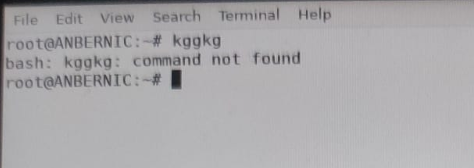
sudo reboot

Login mit Lightdm + xterm
sudo rm -rf /etc/systemd/system/getty@tty1.service.d/override.conf
getty Eintrag entfernensudo apt install xterm xorg lightdm lightdm-gtk-greeter- User mit mehr Rechten versehen (nötig ist hier aber nur video)
sudo usermod -aG audio,lightdm <user> - Sicherstellen das alle User X Server starten dürfen
sudo nano /etc/X11/Xwrapper.config
allowed_users=anybodyanstatt console
oderdpkg-reconfigure xserver-xorg-legacy sudo nano /etc/X11/default-display-manager→/usr/sbin/lightdm- Usern das Recht geben auf X zuzugreifen
sudo nano /etc/lightdm/lightdm-display-setup.sh
#!/bin/bash
xhost +SI:localuser:pi
xhost +SI:localuser:root
sudo chmod +x /etc/lightdm/lightdm-display-setup.sh sudo nano /etc/lightdm/lightdm.conf
[Seat:*]
autologin-user=       # Dieser Eintrag wird leer gelassen, damit keine automatische Anmeldung erfolgt.
user-session=xterm
greeter-session=lightdm-gtk-greeter
display-setup-script=/etc/lightdm/lightdm-display-setup.sh
mkdir -p /usr/share/xsessions- Session xterm anlegen
sudo nano /usr/share/xsessions/xterm.desktop
[Desktop Entry]
Name=Xterm
Comment=This session starts xterm
Exec=xterm
Type=Application
sudo systemctl enable lightdm- Test mittels
startx sudo reboot
Login mit Lightdm + xfce
- Login als User (Pi z.B.)
sudo rm -rf /etc/systemd/system/getty@tty1.service.d/override.conf
getty Eintrag entfernensudo apt install xorg xterm lightdm lightdm-gtk-greeter xfce4 xfce4-goodies arc-theme numix-gtk-theme numix-icon-theme xfce4-session lightdm-gtk-greeter- User mit mehr Rechten versehen
sudo usermod -aG audio,pulse,pulse-access,lightdm $USER - Sicherstellen das alle User X Server starten dürfen
sudo nano /etc/X11/Xwrapper.config
allowed_users=anybodyanstatt console
oderdpkg-reconfigure xserver-xorg-legacy sudo nano /etc/X11/default-display-manager→/usr/sbin/lightdm- Usern das Recht geben auf X zuzugreifen
sudo nano /etc/lightdm/lightdm-display-setup.sh
#!/bin/bash
xhost +SI:localuser:pi
xhost +SI:localuser:root
sudo chmod +x /etc/lightdm/lightdm-display-setup.sh xfce.desktopwird automatisch in/usr/share/xsessionsangelegt
Evtl. muss die xterm.desktop weg
mv /usr/share/xsessions/xterm.desktop /usr/share/xsessions/xterm.oldsudo nano /etc/lightdm/lightdm.conf
[Seat:*]
autologin-user=       # Dieser Eintrag wird leer gelassen, damit keine automatische Anmeldung erfolgt.
user-session=xfce
greeter-session=lightdm-gtk-greeter
display-setup-script=/etc/lightdm/lightdm-display-setup.sh
- ggf. Screensaver deaktivieren
sudo apt remove xfce4-screensaver
nano ~/.xinitrc
xset s off -dpms s noblank
sudo reboot
Autologin mit Lightdm + xfce
- User der nopasswdlogin Gruppe hinzufügen
sudo usermod -aG nopasswdlogin pi
aus der Gruppe entfernen mittelssudo gpasswd -d pi nopasswdlogin sudo nano /etc/lightdm/lightdm.conf
- download
[Seat:*]
autologin-user=pi
autologin-user-timeout=0 # Setzt eine Verzögerung für die automatische Anmeldung auf 0 Sekunden.
user-session=xfce
greeter-session=lightdm-gtk-greeter
skip-greeter=true # Deaktiviert den Greeter, damit die Anmeldung direkt erfolgt
display-setup-script=/etc/lightdm/lightdm-display-setup.sh
Tools & Games
sudo apt install supertux xmahjongg lbreakout2 pingus openttd xbill gweled kjumpingcube frozen-bubble atomix nethack-console gnome-mines gtetrinet tuxmath xonix circuslinux xboard tuxpuck quadrapassel kobodeluxe opentyrian chromium-bsu xgalagasudo apt install qalculate-gtk vlc bleachbit okular geany thonny libreoffice falkon remmina
X11 VNC
- Test →
x11vnc -usepw -forever -display :0 -noshm
- Service permanent einrichten …
sudo x11vnc -storepasswd /etc/x11vnc.passsudo nano /lib/systemd/system/x11vnc.service[Unit] Description=Start X11VNC After=multi-user.target [Service] Type=simple ExecStart=/usr/bin/x11vnc -display :0 -auth guess -forever -loop -noxdamage -repeat -rfbauth /etc/x11vnc.pass -rfbport 5900 -shared -noshm [Install] WantedBy=multi-user.target
sudo systemctl enable x11vnc.service
TigerVnc
sudo apt install tigervnc-standalone-server dbus-x11
Hinweis: ohne dbus-x11 kommt Unable to contact Settings server - Failed ti execute child process “dbus-launch” (No such file or directory)- Login als pi →
su - pi vncpasswd
aufpassen mit readonly Passwort → ggf. disable Clipboard!- Konfigurationsdatei anpassen
nano ~/.vnc/xstartup
#!/bin/sh
exec /usr/bin/startxfce4
chmod +x ~/.vnc/xstartup- Sitzung starten als root
vncserver :1 -geometry 1024x768 -localhost no
-localhost no damit er nicht nur auf localhost “horcht” - Server beenden
vncserver -kill :1 - Dienst anlegen für Autostart
sudo nano /etc/systemd/system/vncserver@:1.service
User anpassen !
[Unit]
Description=Start TigerVNC server at startup
After=syslog.target network.target

[Service]
Type=forking
User=pi
PIDFile=/home/pi/.vnc/%H%i.pid
ExecStartPre=-/bin/sh -c '/usr/bin/vncserver -kill :1 > /dev/null 2>&1 || true'
ExecStart=/usr/bin/vncserver :1 -geometry 1024x768 -localhost no
ExecStop=/usr/bin/vncserver -kill :1

[Install]
WantedBy=multi-user.target
sudo systemctl daemon-reloadsudo systemctl enable vncserver@:1.servicesudo systemctl start vncserver@:1.servicesudo systemctl status vncserver@:1.service
Samba
sudo apt install sambasudo nano /etc/samba/smb.conf
[Freigabe]
path = /home/pi
browseable = yes
writable = yes
read only = no
sudo smbpasswd -a pisudo systemctl restart smbd && sudo systemctl restart nmbdsudo systemctl status smbd
UI Stuff
Launcher wieder starten
systemctl enable launchersystemctl restart launcher
Test 64 Bit
getconf LONG_BIT
Error Update
Reading package lists… Done E: Release file for http://ports.ubuntu.com/ubuntu-ports/dists/focal-security/InRelease is not valid yet (invalid for another 445d 1h 21min 11s). Updates for this repository will not be applied. E: Release file for http://mirrors.tuna.tsinghua.edu.cn/ubuntu-ports/dists/focal-updates/InRelease is not valid yet (invalid for another 444d 21h 37min 57s). Updates for this repository will not be applied. E: Release file for http://mirrors.tuna.tsinghua.edu.cn/ubuntu-ports/dists/focal-backports/InRelease is not valid yet (invalid for another 333d 18h 12min 35s). Updates for this repository will not be applied.
Mit date das Datum prüfen und ggf. neu setzen.
Bei dem Fehler stand das Datum auf 2023 …
Nach Update Fontcache Error:
root@deeplay:/# fc-cache -fv /usr/share/fonts: caching, new cache contents: 0 fonts, 7 dirs /usr/share/fonts/TTF: fc-cache: symbol lookup error: /usr/lib/arm-linux-gnueabihf/libfontconfig.so.1: undefined symbol: FT_Done_MM_Var
Setting up fontconfig (2.13.1-2ubuntu3) … Regenerating fonts cache… failed. See /var/log/fontconfig.log for more information. dpkg: error processing package fontconfig (–configure): installed fontconfig package post-installation script subprocess returned error exit status 1 dpkg: dependency problems prevent configuration of libpango-1.0-0:armhf: libpango-1.0-0:armhf depends on fontconfig (>= 2.1.91); however:
Package fontconfig is not configured yet.
apt-get install –reinstall libfreetype6 libharfbuzz0b librsvg2-common
RG35xx Wifi Addon
Kernel quellen 4.9.170
cd /usr/srcwget https://cdn.kernel.org/pub/linux/kernel/v4.x/linux-4.9.170.tar.gz --no-check-certificatetar -xvf linux-4.9.170.tar.gz && cd linux-4.9.170
* Header erstellen
make headers_install
apt install bc build-essential libncurses-dev bison flex libssl-dev libelf-dev- Kernel Header installieren
cd linux-4.9.170make clean && make mrpropermake headers_install INSTALL_HDR_PATH=/usr/src/linux-headers-4.9.170sudo rm /lib/modules/4.9.170/build
Das ist nötig weil der noch auf einen Dev Stand zeigt den es hier nicht gibt !sudo ln -s /usr/src/linux-4.9.170 /lib/modules/4.9.170/build
Korrekten Link erstellen- Check mittels
ls /lib/modules/4.9.170/ -lah
- Konfig kopieren
zcat /proc/config.gz > .config make oldconfig && make preparemake scripts- Läuft dann auf einen Fehler
nano scripts/dtc/dtc-lexer.lex.c→ 'YYLTYPE yylloc' suchen und in 'extern YYLTYPE yylloc' ändernmake scriptsneu starten
make menuconfig- Treiber auf M stellen die man braucht
- nüzuliche Treiber
- → Device Drivers → USB support → USB Modem (CDC ACM) support Das ist der Treiber für Klipper
- → Device Drivers → USB support → USB Serial Converter support Hier kann man einfach alle auswählen
- → Device Drivers → USB support → USB Gadget Support Hier alles mit ACM / Serial
USB functions configurable through configfs
[*] Generic serial bulk in/out
[*] Abstract Control Model (CDC ACM)
- Alle USB relevanten Treiber compilieren und installieren
make modules_preparemake M=drivers/usb modulesmake M=drivers/usb modules_installdepmod -a


Treiber Infos
lsmod→ listet alle geladenen Modulelsmod | grep cdc_acm→ sucht nach speziellem Modulmodinfo cdc_acm→ Details anzeigen wie VID / PIDfind /lib/modules/$(uname -r)/kernel/ -name “*.ko” -exec modinfo {} \; | grep -i “067b.*2303”→ in allen Modulen nach VID / PID suchen
Game SDL 2 String
19000000010000000100000000010000,ANBERNIC-keys,platform:Linux,a:b0,b:b1,x:b3,y:b2,back:b8,start:b7,guide:b6,leftshoulder:b4,rightshoulder:b5,lefttrigger:b9,righttrigger:b10,dpup:h0.1,dpleft:h0.8,dpdown:h0.4,dpright:h0.2,
export SDL_GAMECONTROLLERCONFIG=“19000000010000000100000000010000,ANBERNIC-keys,platform:Linux,a:b0,b:b1,x:b3,y:b2,back:b8,start:b7,guide:b6,leftshoulder:b4,rightshoulder:b5,lefttrigger:b9,righttrigger:b10,dpup:h0.1,dpleft:h0.8,dpdown:h0.4,dpright:h0.2,”
Todo
https://github.com/haoict/SimpleTerminal
- Install garlic os
https://www.youtube.com/watch?v=ZbyWvw3kmzY - FAT32 Formatter
http://ridgecrop.co.uk/index.htm?guiformat.htm